Skip to content

Features

The complete drawing, from STEP to DXF.

Cotio recognises the part geometry and applies the rules of technical drawing. Here is what it does for you, and what stays in your hands.
01

Reading and recognition

  • STEP AP203 / AP214, single part or assembly (one drawing per part, quantities grouped)
  • Automatic orientation: largest dimension along the length, origin at the corner
  • Through and blind holes, regular patterns, holes on inclined faces
  • Sheet metal: thickness, bends, angles, inside radii
  • Turned parts: step diameters and lengths, axial bore
  • Material and density read from the STEP file or from your materials table
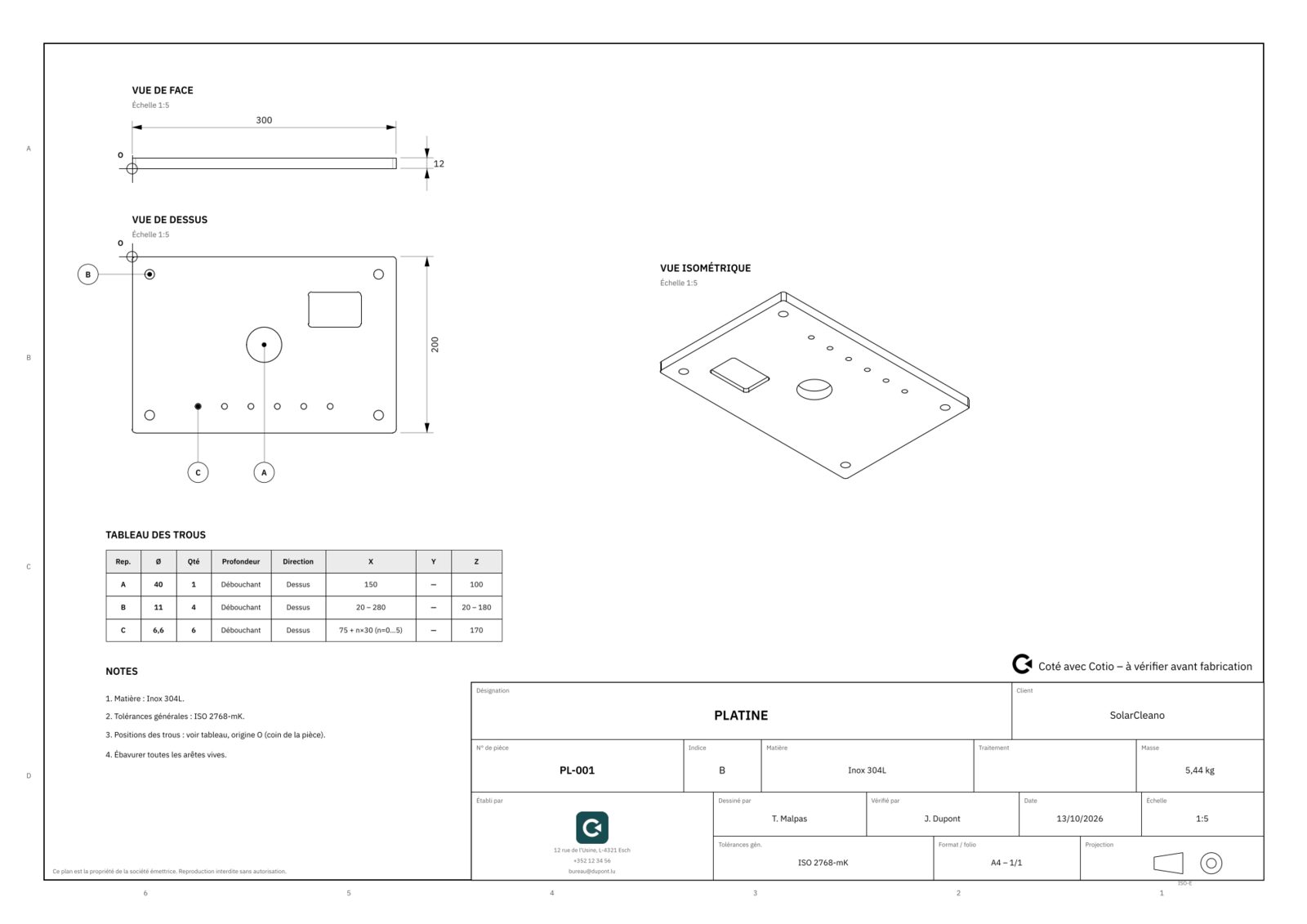
Drawing of a machined plate with hole table
02

Automatic drawing layout

  • Choice of sheet size (A4 to A2) and the most legible standard scale
  • First-angle or third-angle projection
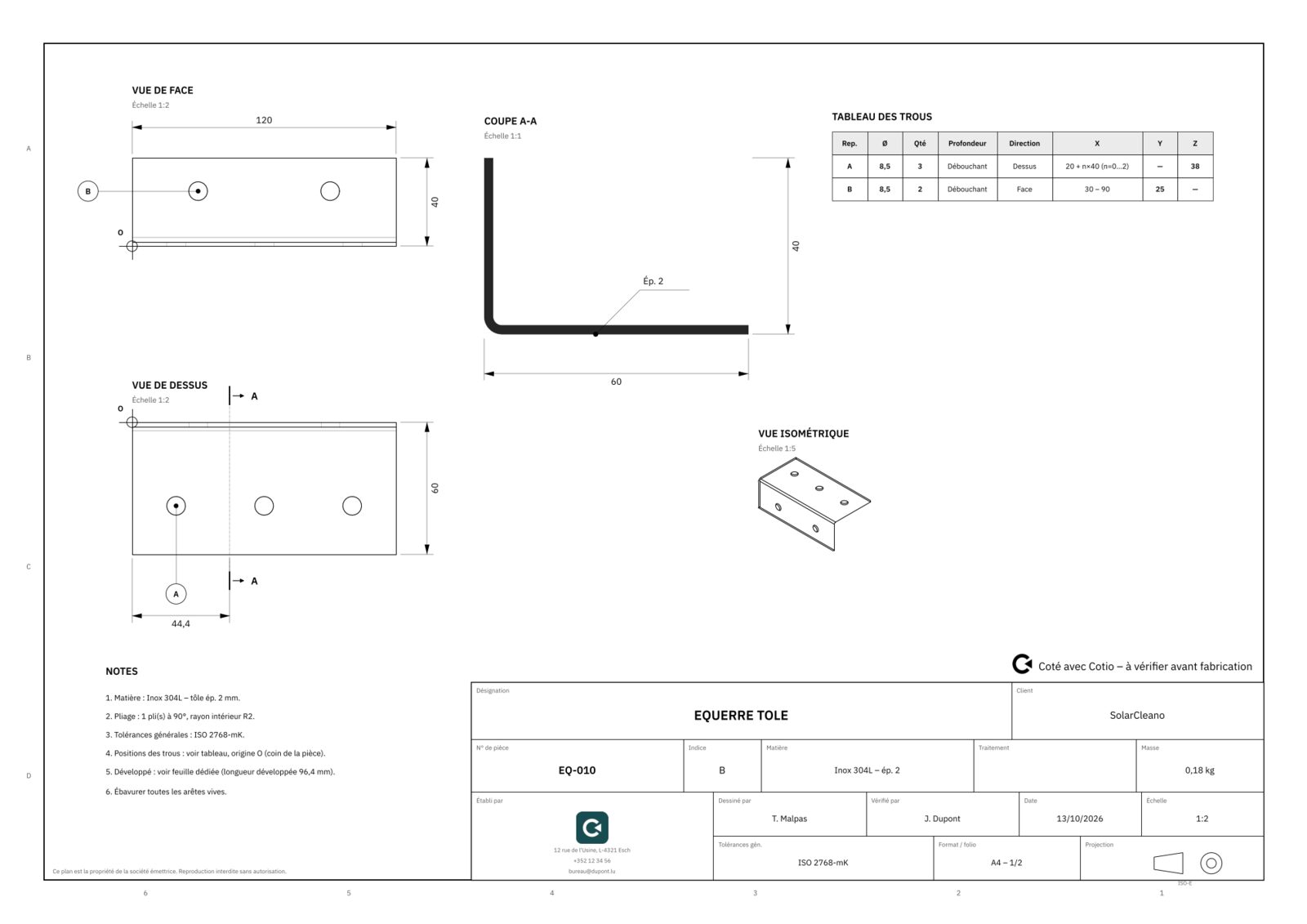
  • Automatic section A-A for bent sheet-metal and drilled parts
  • Overall, thickness, diameter and position dimensions
  • Hole labels and hole table grouped by pattern
  • Title block in your colours: logo, fields, drawn / checked by, revision index, date
  • Drawing language: French, English, German, Dutch, Spanish
Drawing of a bent sheet-metal bracket with section A-A
03

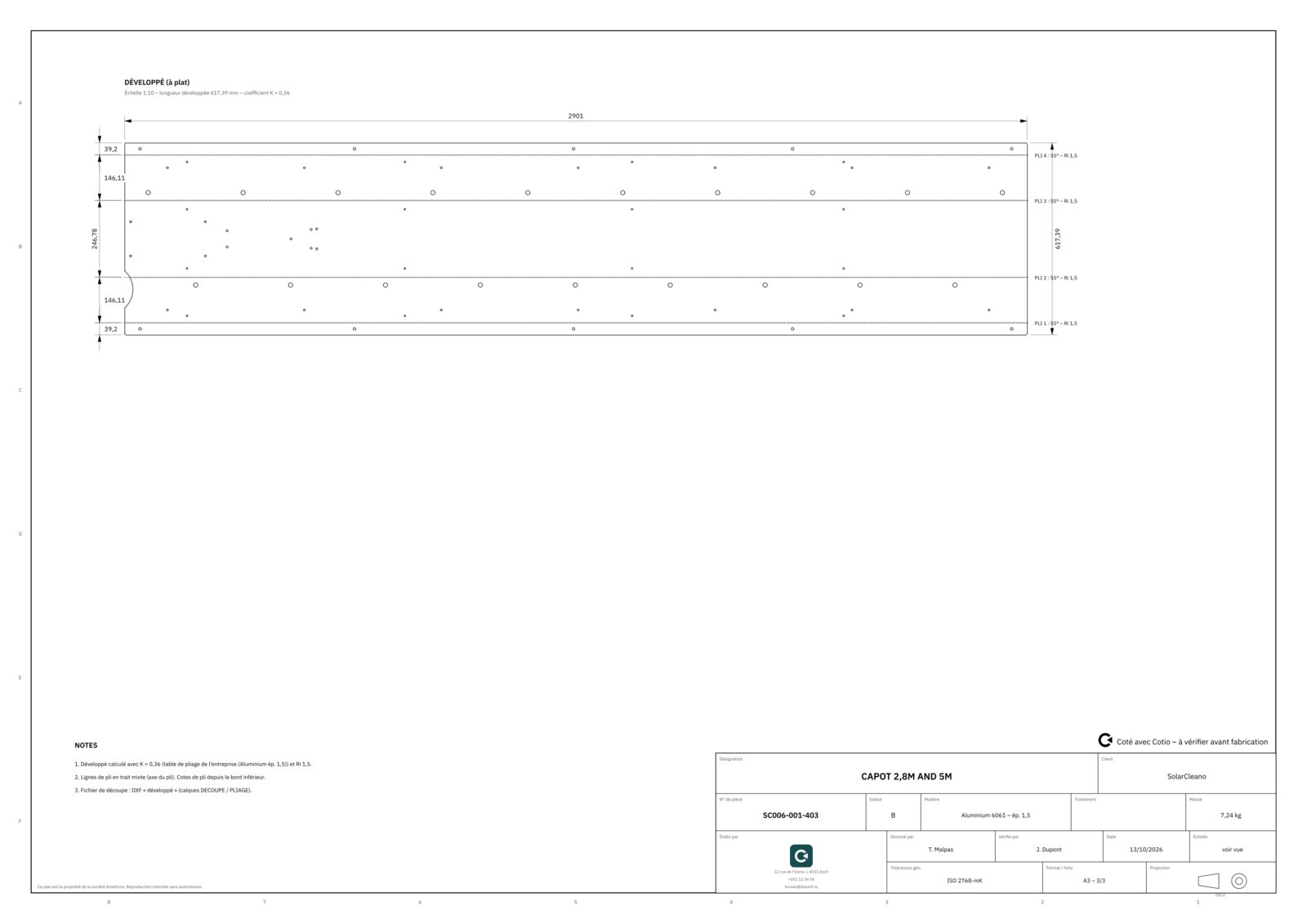
Sheet metal and laser cutting

  • Flat pattern calculated on the neutral fibre with your K-factor per material and thickness
  • Bend lines, angles and radii, dimensions between bends
  • 1:1 scale cutting DXF, layers named for your cutting software
  • Warning if the 3D radius differs from your tooling radius
Flat pattern sheet of a sheet-metal cover with bend lines
04

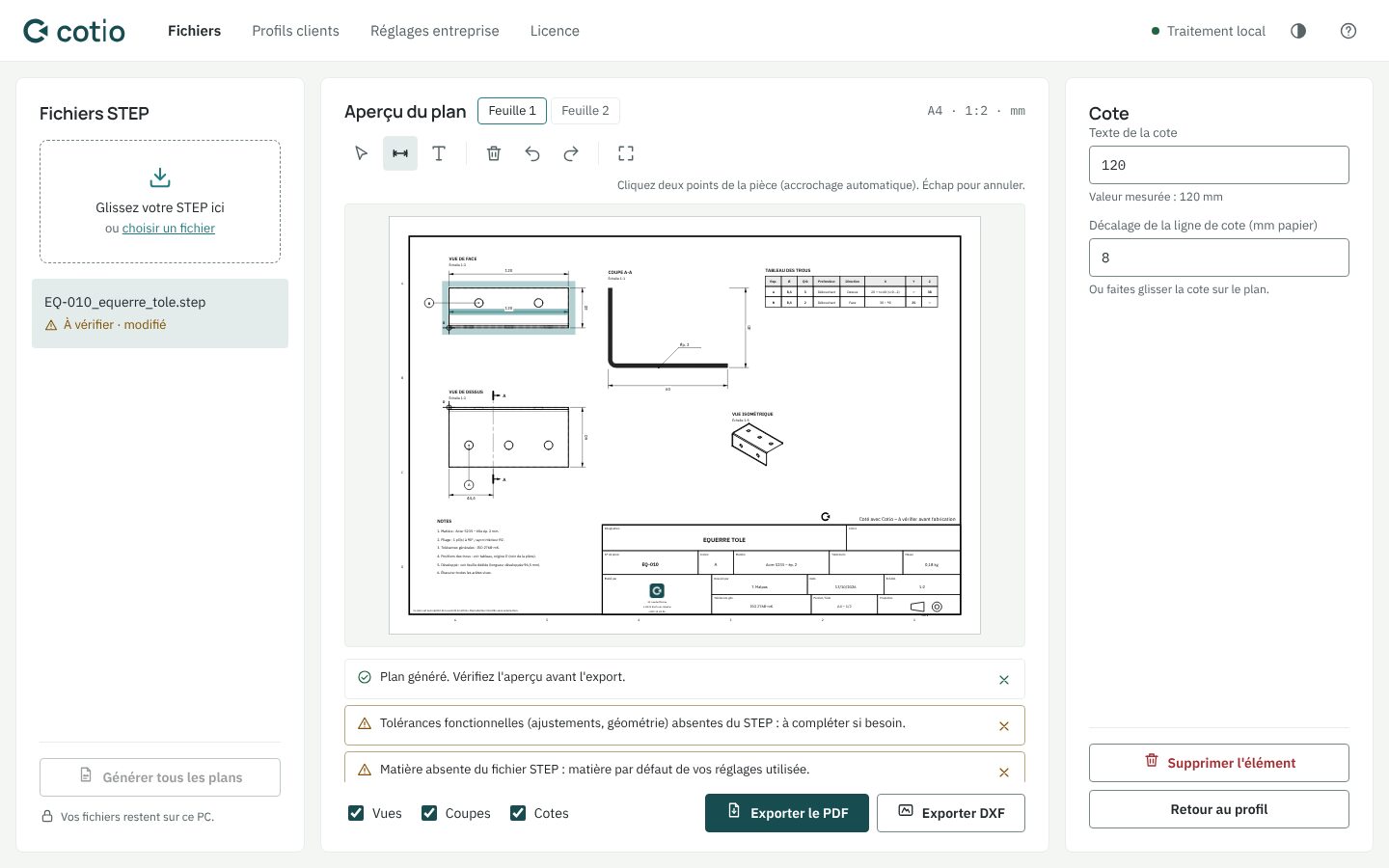
Editor and checking

  • Add horizontal, vertical or aligned dimensions with snapping to vertices
  • Move views together with their dimensions, labels and text
  • Edit the title block, notes and hole table
  • Revision table: index, date, reason
  • Undo / redo, automatic saving
  • Points to check listed after each generation
Adding a dimension in the Cotio editor
05

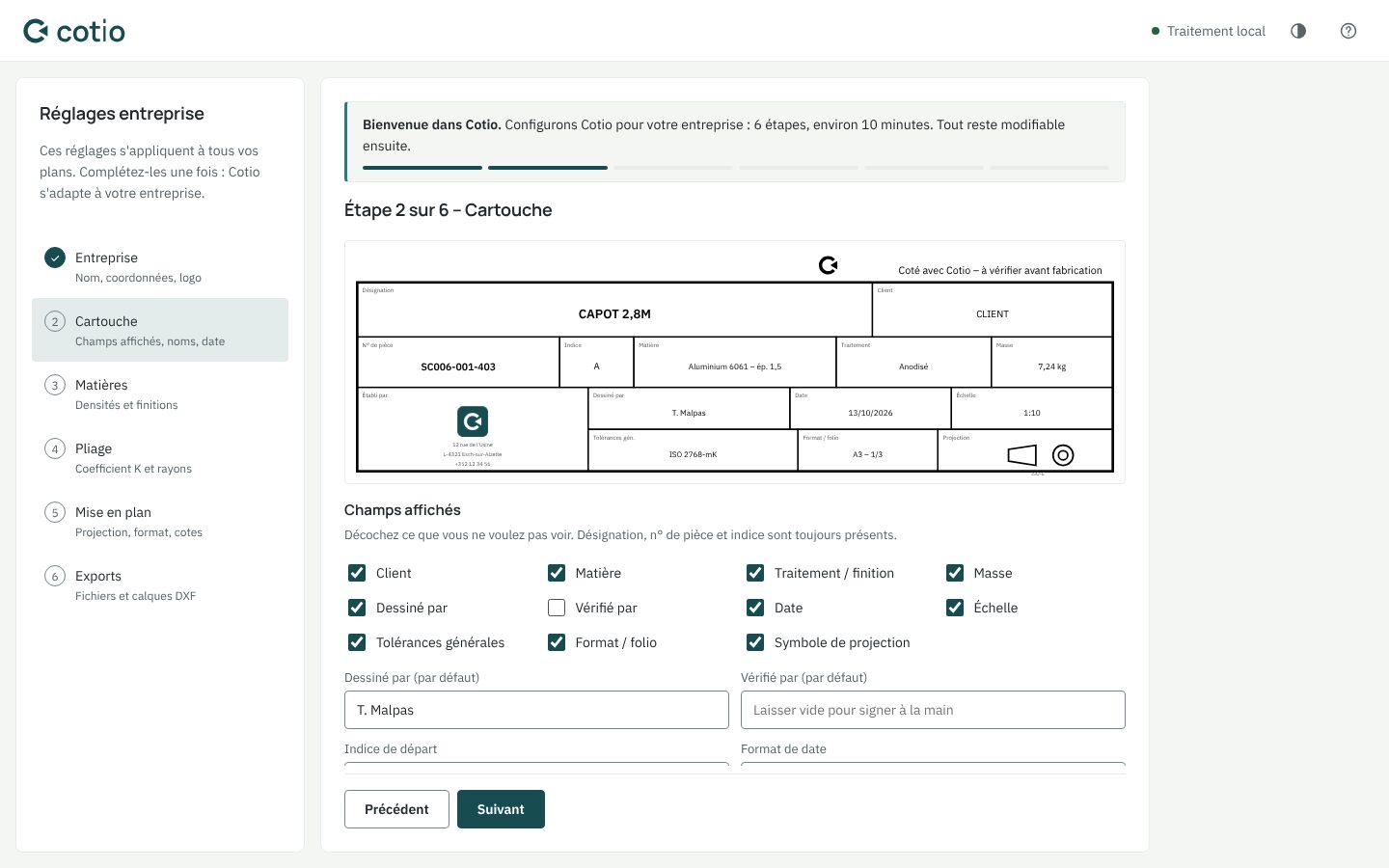
Company settings

  • 10-minute setup wizard at first launch, settings exportable to your other workstations
  • Title block, logo, contact details, proprietary notice
  • Materials table (density, finish) and bend table (K-factor, radius)
  • Sheet sizes, scales, decimals, separator, tolerances, notes
  • File names and DXF layers
  • Customer profiles: name, revision index, sheet size, language, notes
Setting up the title block in the Cotio wizard

Exports

Everything the shop floor expects.

Drawing PDF

Multi-sheet, embedded fonts, ready to print or send.

DXF of the views

1:1 scale views on separate layers for your CAD.

Flat pattern DXF

Cutting contour and bend lines for laser cutting.

Manufacturing sheet

Cutting length, pierce points, sheet area, bends, mass: the basis for your quote.

Batch summary

All the parts of a project in an Excel table: quantities, materials, masses.

Supplier package

PDF, DXF and STEP for each part in a ZIP, ready to send out for quotation.

Try it on your own parts.

14 days, everything included, no credit card.